Compliance > AVETMISS Program> Recognition Status Missing
The Recognition Status Missing alert appears when a program does not have a recognition status assigned during its creation or setup. The recognition status is an essential AVETMISS field used to indicate whether the qualification is nationally recognised or not, and it’s required for compliant reporting.
To resolve this
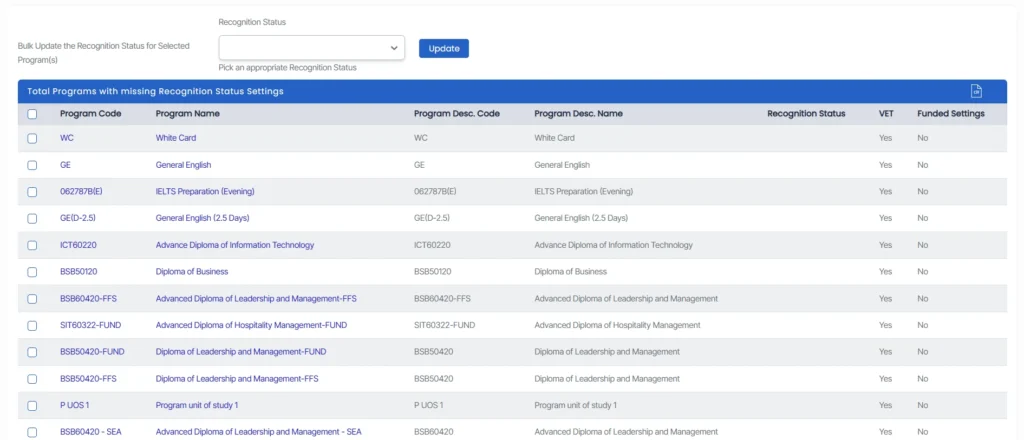
- Click the alert count to view the list of programs missing a recognition status.
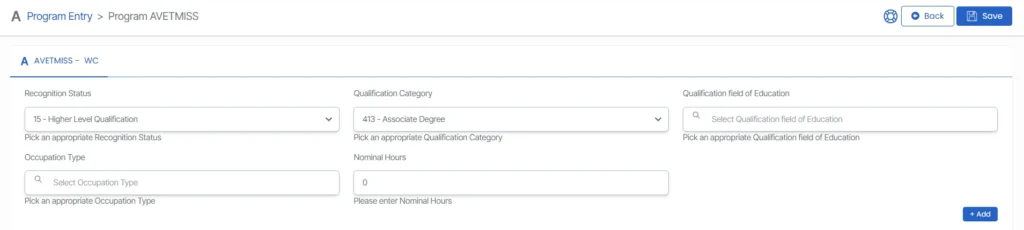
- Select a program by clicking its Program Code or Name, this will take you to the Program Entry screen and enter the appropriate recognition status in the designated field.
- In the Recognition Status field, choose the correct value from the drop-down menu.
- If multiple programs are affected, you can use the bulk update option by selecting the checkboxes next to the relevant programs, choosing the correct recognition status from the dropdown list, and clicking Update to apply the changes.
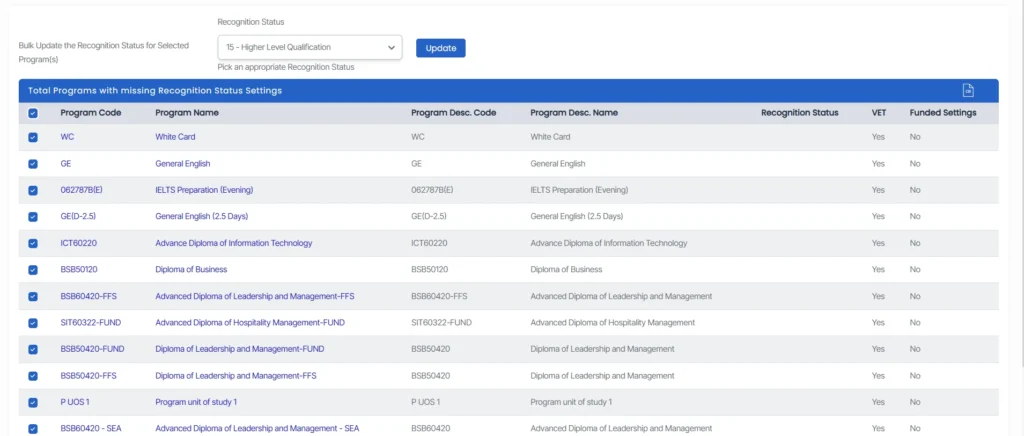
Ensuring the recognition status is correctly populated helps maintain compliance with national reporting standards and prevents AVETMISS validation errors.