Enrolment Dashboard > Enrolment Profile Tile
This tile has two different types of information:
- Summary information about the enrolment, such as contact details, campus, program name, program code, start and end dates, Timetables etc.
- Horizontal icons are specific to the student.
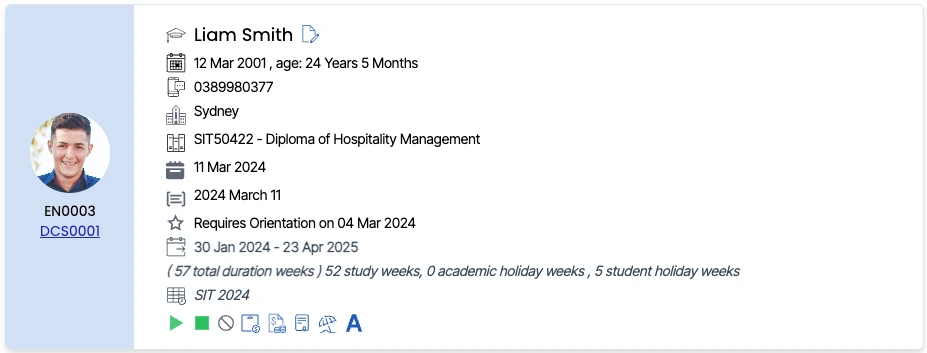
Enrolment Summary Information
The summary information displayed in this tile will relate to the student and enrolment. The information specific to the student that is displayed includes:
- Student picture
- Student number and Enrolment number – This is the number directly under the student picture
- Date of birth and age
- Mobile Number
- College Name
- Name of the course the student is enrolled in
- Date of enrolment
- Commence Intake
- Orientation
- Start and end dates include(total duration weeks, study weeks, academic holiday weeks, students’ holiday weeks)
- Current Timetable