Main Dashboard > Alerts – General Tile > Contact Log – Listing Screen
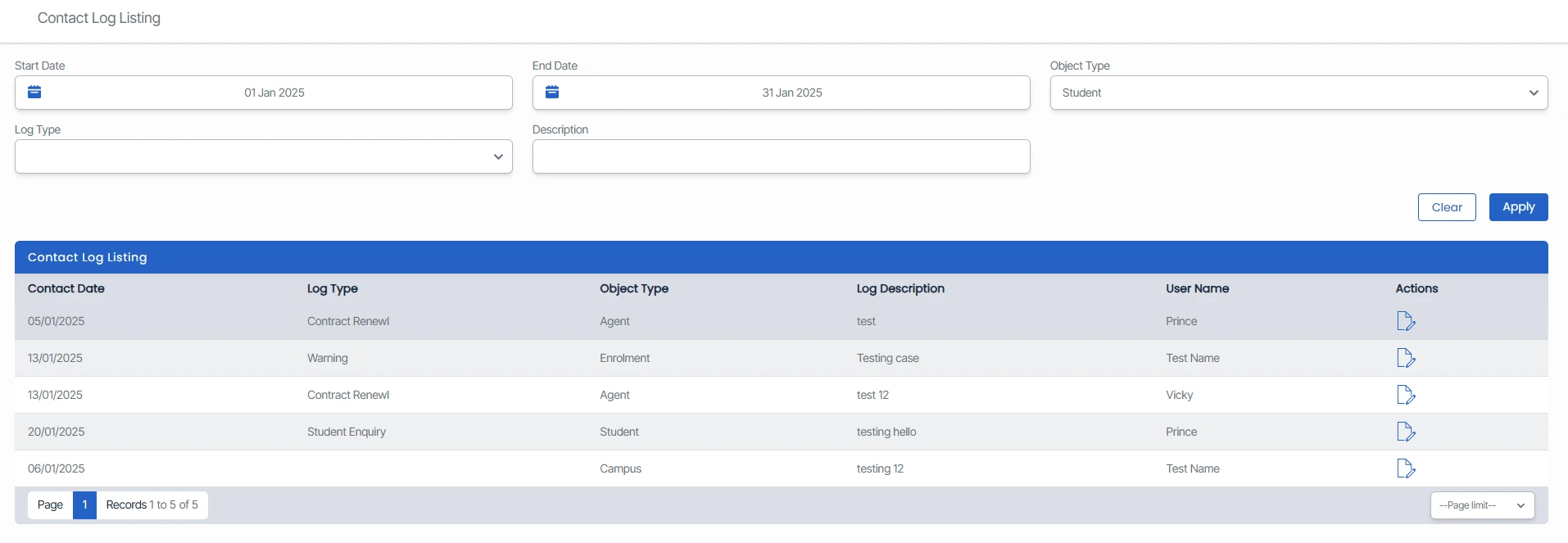
The contact Log screen is a feature that displays a comprehensive list of logs across all object types in a single view.
This option displays the total count of sent contact logs within the last 30 days, offering a quick summary of recent activity.
The contact log screen offers the filter option to fetch the specific data displayed in the listing grid. You can set a Start Date and End Date, select an Object Type, and based on the object type you can choose a log Type for a more precise search.
Additionally, you can edit the logs from the edit icon under the actions column.