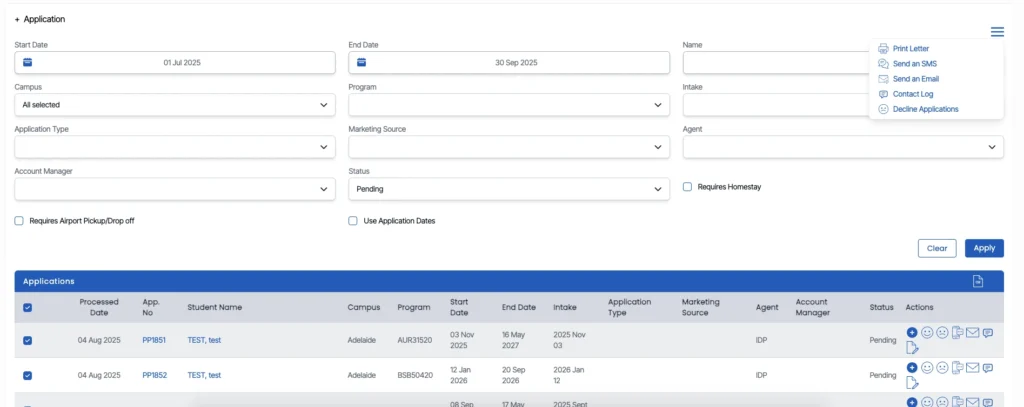
Marketing dashboard > Application listing screen > Burger menu
The Decline Application function allows you to remove applications that are no longer progressing. Declining applications helps maintain an accurate and up-to-date view of your admissions.
You can decline applications individually or in bulk, depending on what works best for your workflow. Bulk declining is ideal when cleaning up large groups of outdated or incomplete applications.
To decline applications in bulk, Select the applications, clcik the burger menu and select the Decline Application option.
While the single-decline option is suited to managing individual cases as they arise.To decline a single application, click the Decline icon  on the application tile to immediately decline that specific application.
Once an application is declined, it is immediately removed from the active list and marked accordingly, keeping your reporting and marketing metrics focused on genuine prospects.