AVETMISS Dashboard > AVETMISS Enrolments > Enrolment not Finished have a VET Program /Subjects
This screen displays enrolments where the end date has already passed, but the enrolment has not yet been marked as Finished. This creates an AVETMISS validation error and must be resolved before submission.
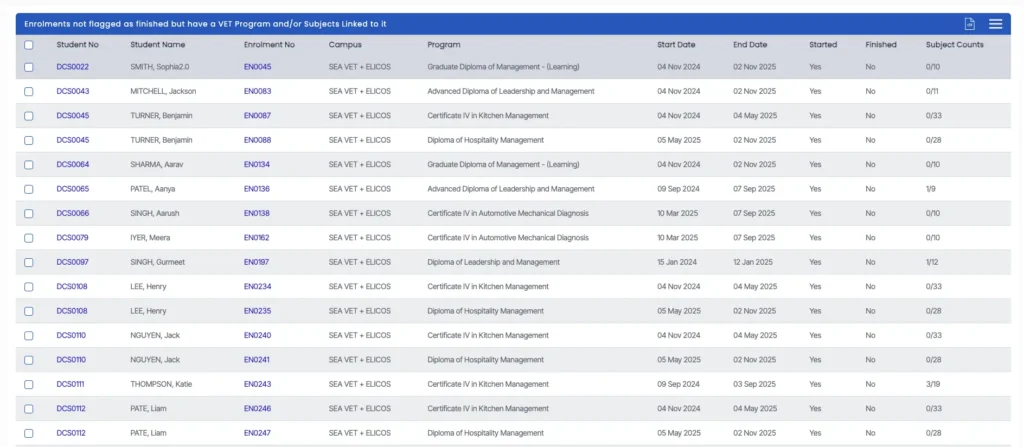
How to Fix
Option 1: Fix Individually
- Click the Enrolment Number (hyperlink)
- You will be redirected to the Enrolment Dashboard
- Click the red square icon to mark the enrolment as Finished
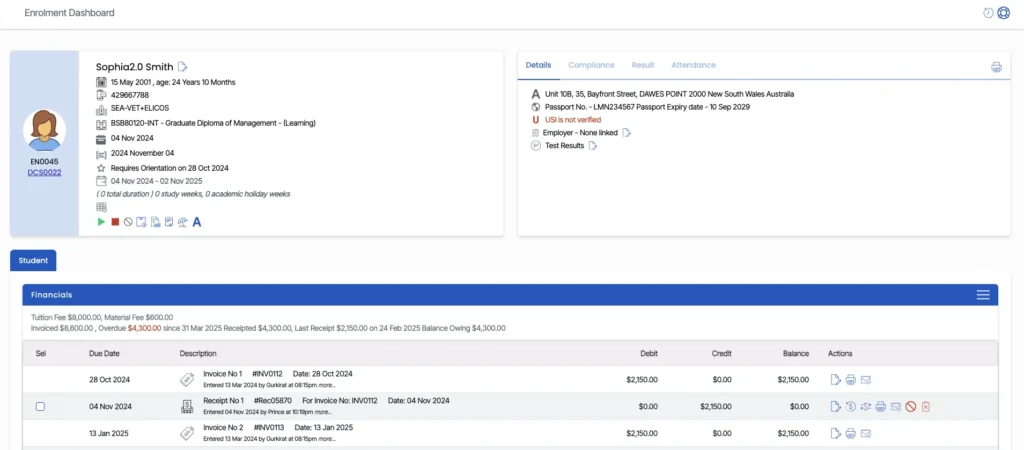
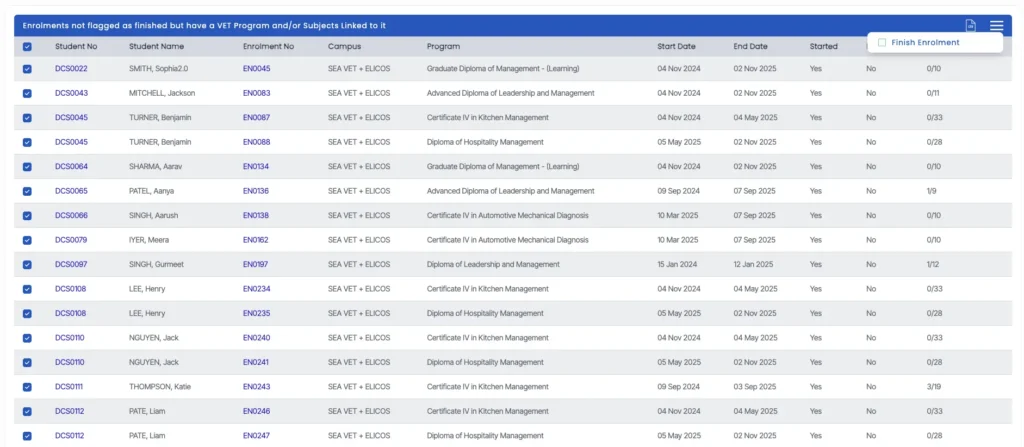
Option 2: Fix in Bulk
- Select the required enrolments from the list
- Open the burger menu (⋮)
- Select Finish Enrolment
- All selected enrolments will then be marked as finished in one action.
Ensuring enrolments are correctly marked as finished is important for maintaining accurate reporting and avoiding AVETMISS submission errors.
You also have the option to download the list as a CSV file for review or internal tracking purposes.
Next Step
Once updates are completed, return to the dashboard and refresh the data to confirm the issue has been resolved.