Finance > Fee
This screen is known as the Fee Welcome screen, and it displays a list of all active fees currently stored in your database.
You can easily search for a specific fee using the search field by entering either the Fee Code or Fee Name. Additionally, you can filter results by selecting a Fee Type or Object Type from their respective drop-down menus. If you want to view inactive fees as well, simply tick the Include Inactive Fees checkbox.
You can select the +Add button to add the new fee to the system.
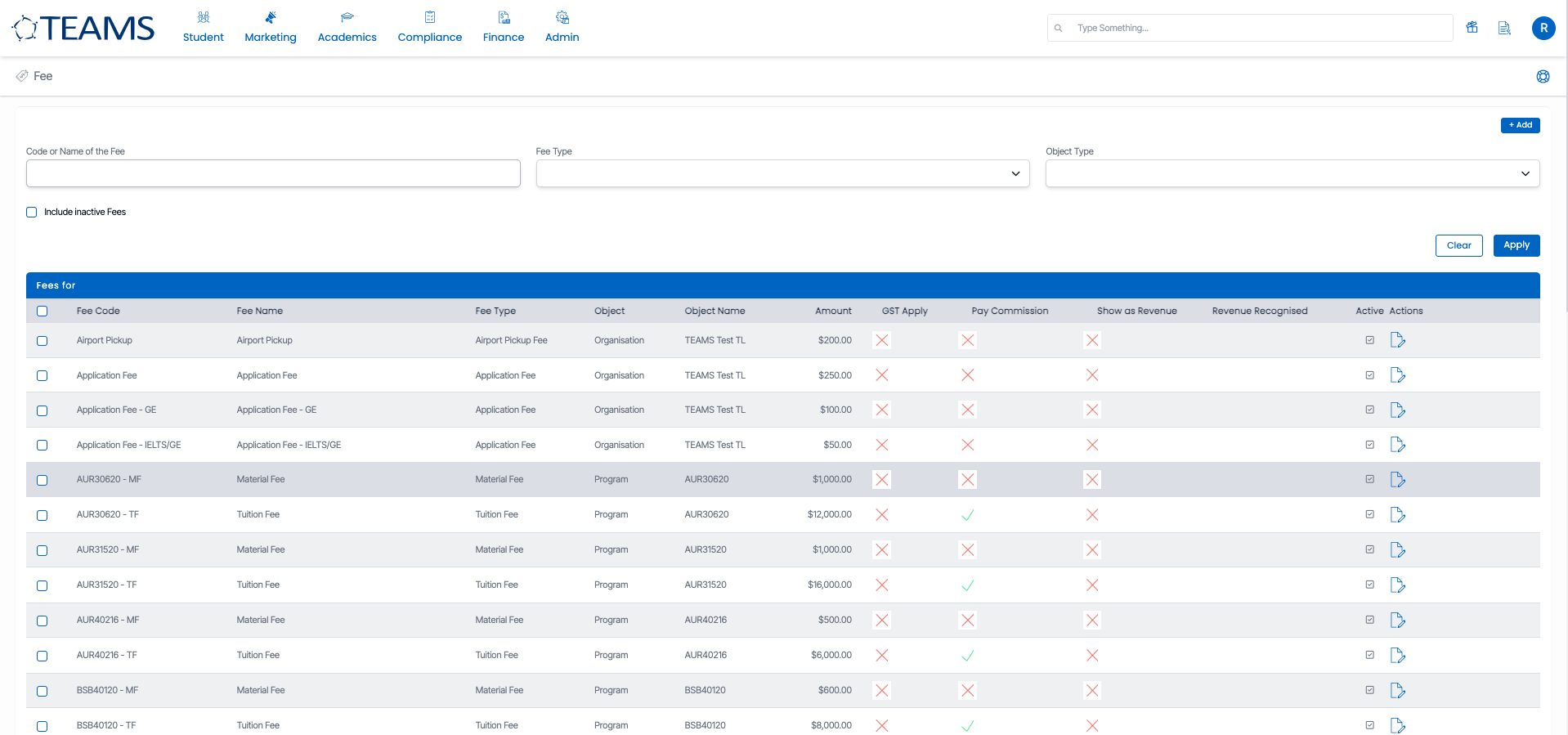
In the listing tab under the action column, there is an edit icon  . Clicking this icon allows you to open and modify the details of the selected fee.