Compliance > AVETMISS Subject > Funding Source National Missing
This alert indicates that the Funding Source National field is missing from one or more subject records.
This field is required for AVETMISS reporting, as it specifies how the how a student’s training is funded at the national level.
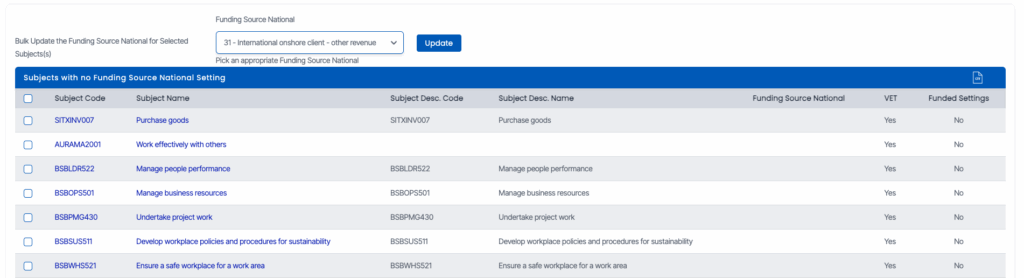
To resolve this
Click the alert count to access the list of affected subjects.
You can update the Funding Source National Missing in two ways:
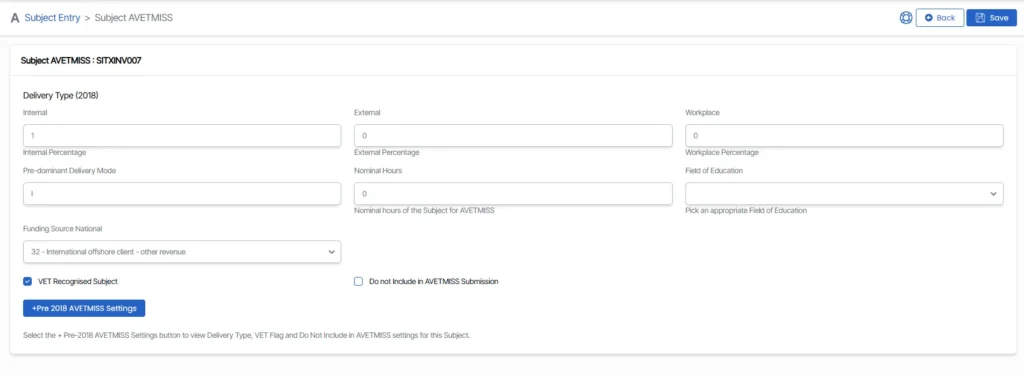
Update individually: Click the subject code to open the Subject Entry screen, then select the correct Funding Source National from the dropdown.
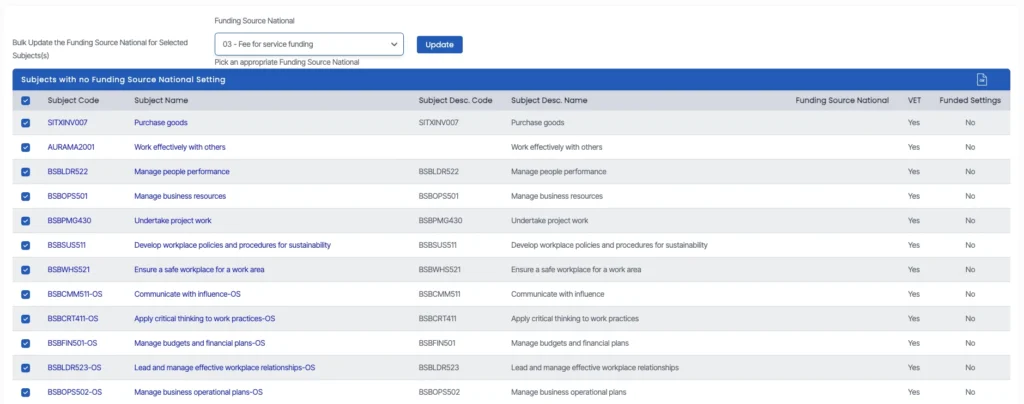
Bulk update: Tick the checkboxes for multiple subjects, choose the correct funding source from the dropdown, and click Update.
Accurately completing this field ensures compliance with both state and national funding body requirements and helps prevent AVETMISS validation errors.