Steps to Inactivate an Intake
Navigate to Academics.
Select Intakes.
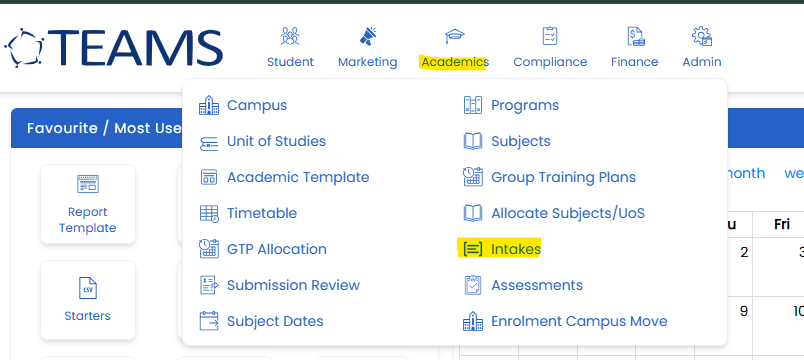
You can also search for intake as shown in below screenshot.
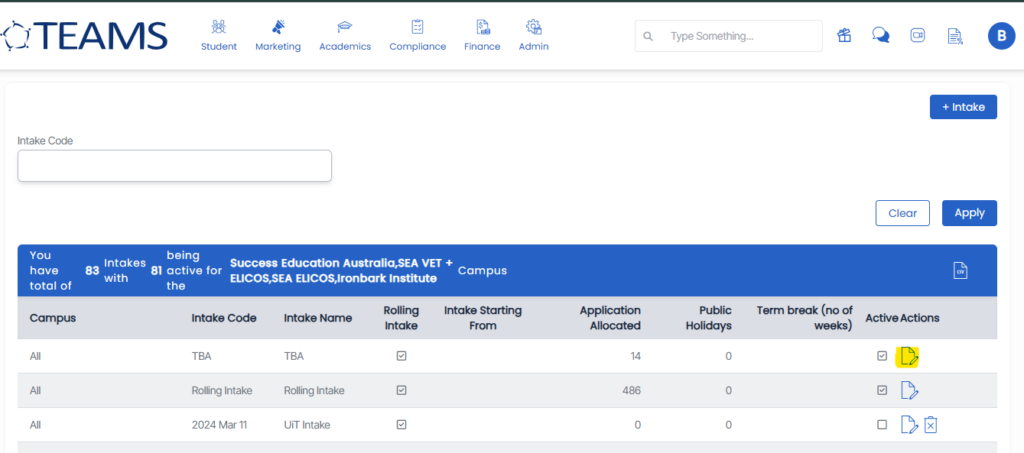
Locate and select the intake you want to make inactive.
Click the Edit icon.
In the Details section, untick the Active checkbox.
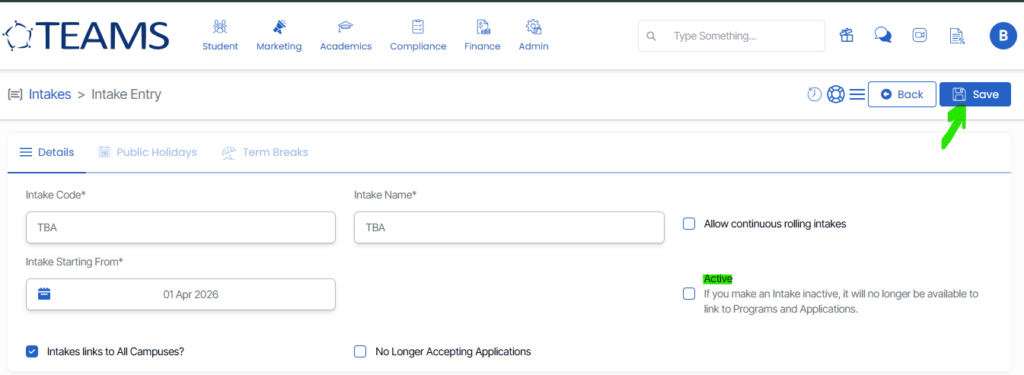
Click on Save in right corner.
Outcome
Once the intake is marked as inactive:
- Existing data linked to the intake will remain unchanged.
Notes
- Only active intakes are visible in search results.
- You can reactivate the intake at any time by following the same steps and ticking the Active checkbox again.