Compliance > AVETMISS Dashboard > AVETMISS Students > Missing Date of Birth (DOB)
The Missing Date of Birth (DOB) alert appears when a student record does not have a Date of Birth entered. This information is mandatory for AVETMISS reporting and is also required for general student identification.
To update this information
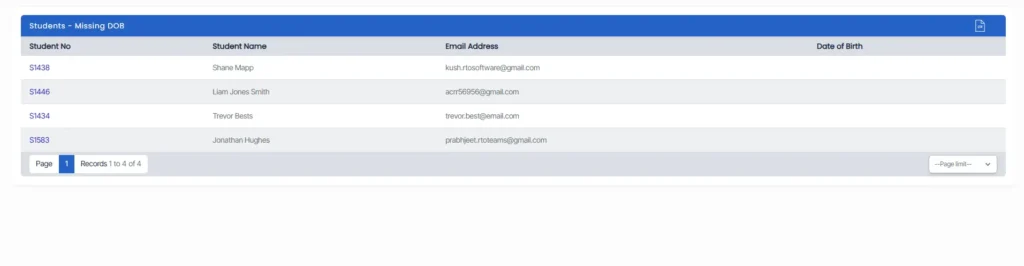
- Click the alert count to view all students missing a Date of Birth and simply click on the student number.
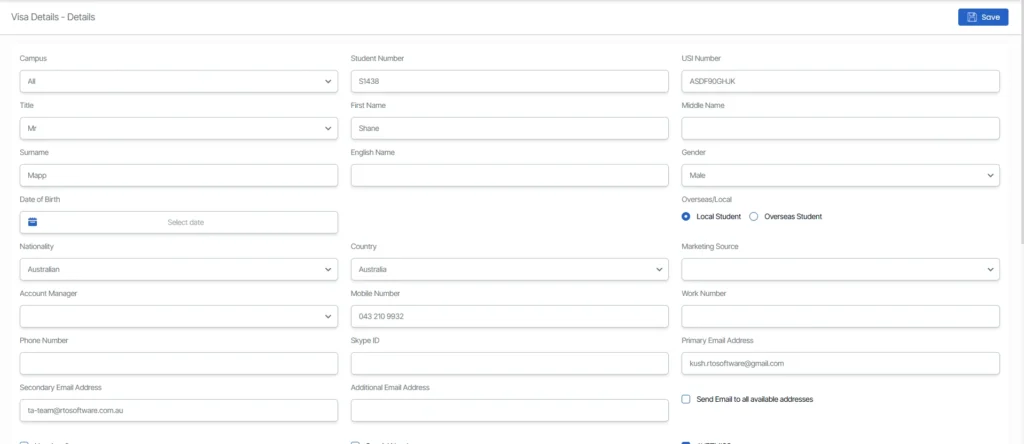
- In the Personal Details section, enter the correct Date of Birth in the appropriate field and click Save to update the student’s record.
Ensuring this information is complete is important for compliance and accurate reporting.