Compliance > AVETMISS Program> Occupation Type Missing
The Occupation Type Missing indicates that some programs are missing the required Occupation Type information, which is essential for accurate reporting and compliance, particularly when aligning with national training standards.
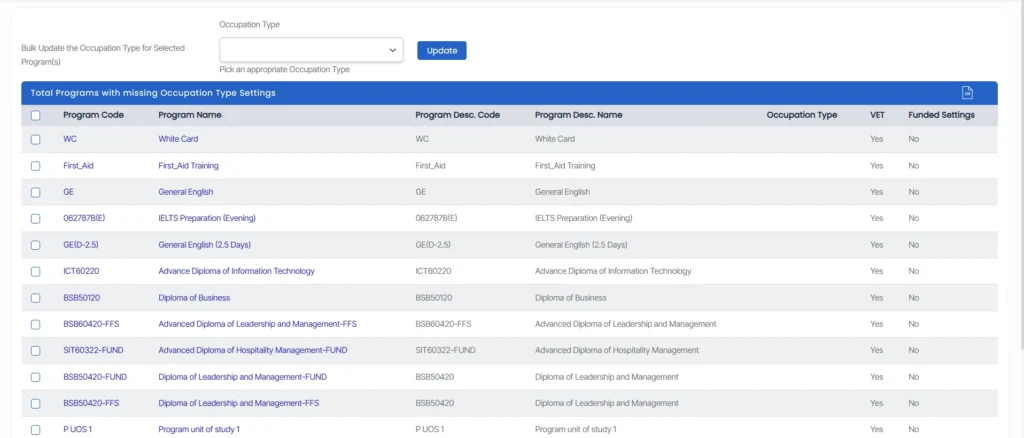
To resolve this
- Navigate to the Program Entry screen for the relevant program and enter the appropriate Occuption Type in the designated field.
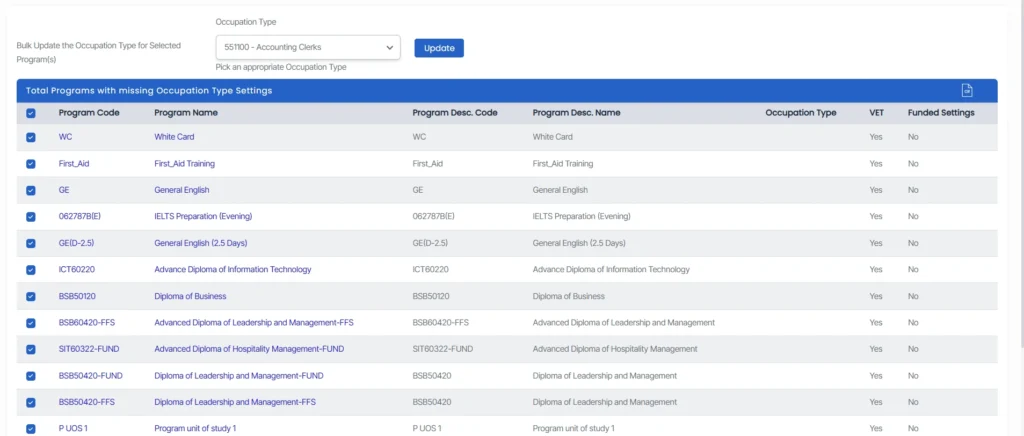
- You can use the bulk update functionality for efficiency.
- Select the checkboxes next to the programs missing code, choose the appropriate Occupation Type from the dropdown menu, and click Update to apply the changes.

Ensuring the Occupation Type is populated correctly supports better categorisation of programs and helps maintain AVETMISS and compliance accuracy.