Compliance > AVETMISS Subject > Descriptive Name Missing
The Subject Descriptive Name Missing alert highlights when a subject does not have a Descriptive Code recorded, which is essential for compliance with AVETMISS reporting requirements. The descriptive name should accurately reflect the subject title as listed in the official training package or accredited course documentation.
To resolve this
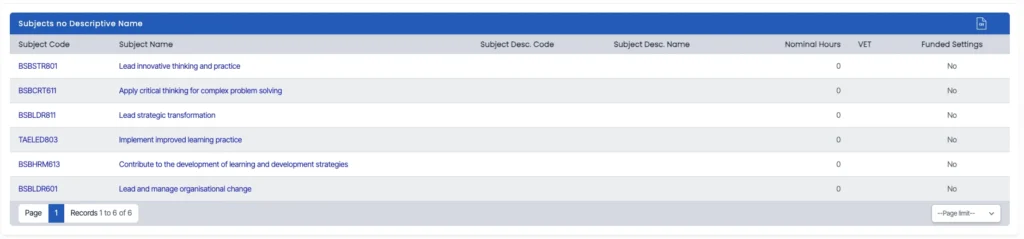
- Click on the total count in the alert tile to access the Subject Descriptive Name Errors List.
- The list will show all subjects missing a descriptive name.
- Click on the subject code to open the Subject Entry screen.
- Locate the Descriptive Name field and enter the correct name based on the national training register or internal course documentation.
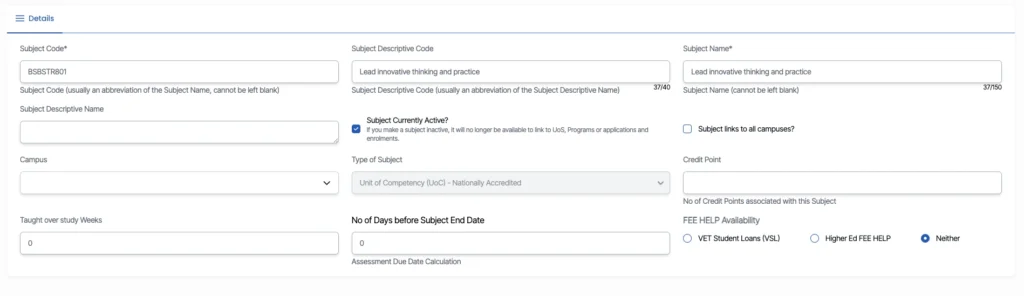
Click Save to update the subject record.
Keeping descriptive names accurate ensures consistency across enrolment and reporting records.