Compliance > AVETMISS Subject > Nominal Hours Missing
The Subject Nominal Hours Missing alert shows subjects that do not have Nominal Hours assigned, an essential data point required for AVETMISS reporting. Nominal hours reflect the anticipated time a student is expected to spend in structured learning for that subject.
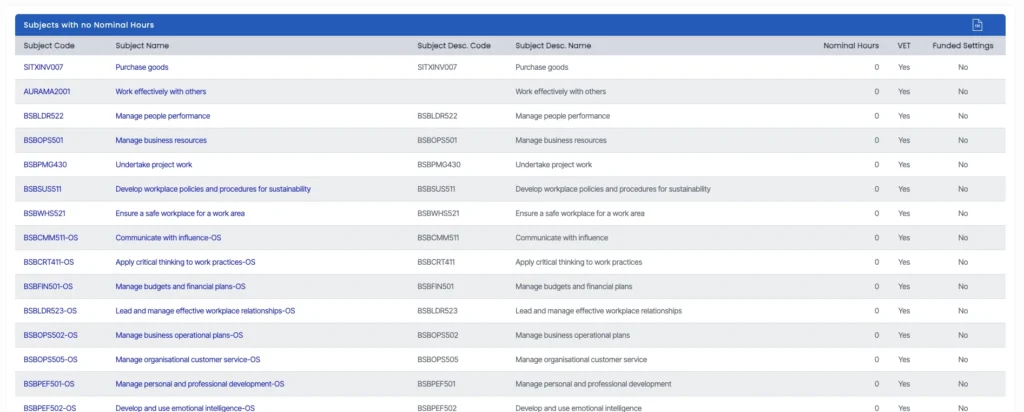
To resolve this
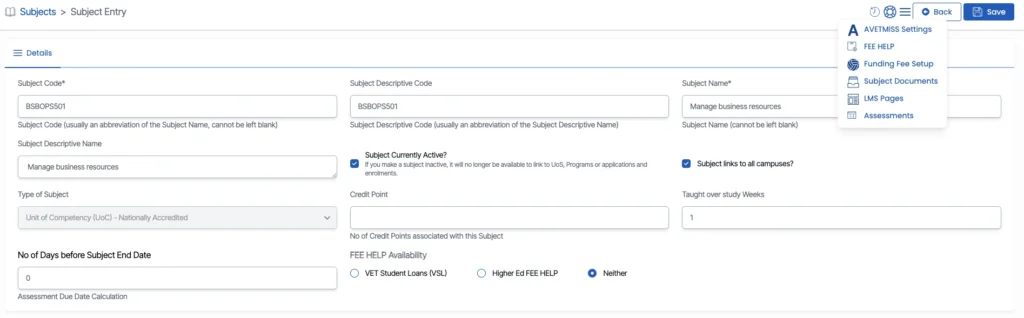
- Click the subject code listed in the alert to open the Subject Entry screen.
- From there, access the AVETMISS Settings via the burger menu in the top-right corner.
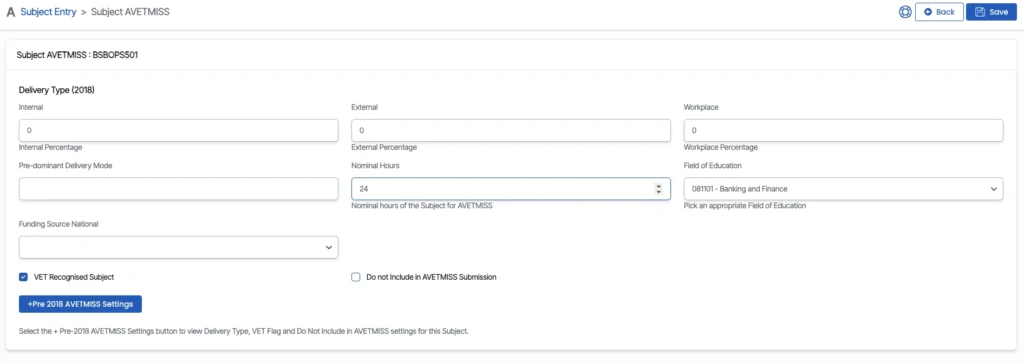
- Enter the appropriate Nominal Hours in the designated field and click Save.
Missing or incorrect nominal hours may result in AVETMISS validation errors and impact the quality of your organisation’s reporting.