Compliance > AVETMISS Dashboard > AVETMISS Students> With No USIs
The With No USIs alert appears when a student record does not have a Unique Student Identifier (USI) entered. A valid USI is required for all nationally recognised training in Australia and must be provided before issuing certificates or reporting AVETMISS data.
To resolve this
- Click the alert count to view all students missing a USI.
- Select a student from the list — this will open the Student Entry screen.
- Locate the USI field under the Compliance tile and enter the correct number provided by the student.
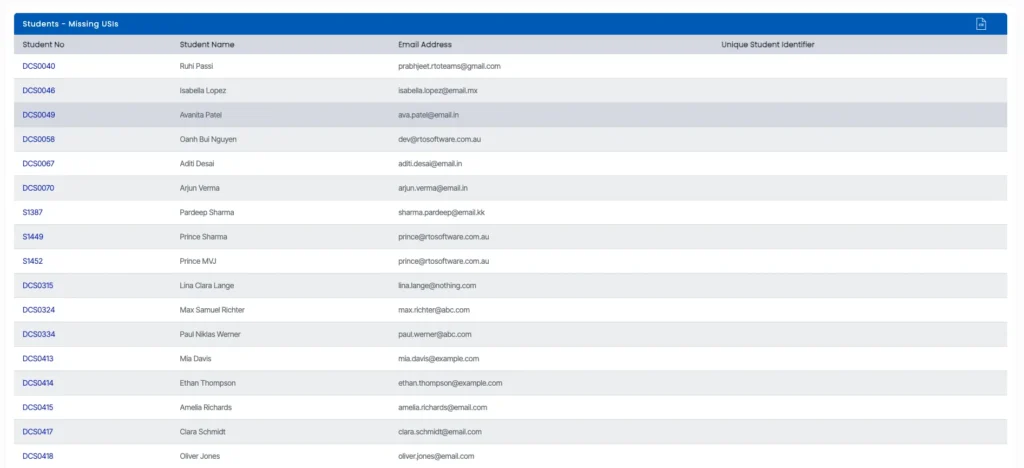
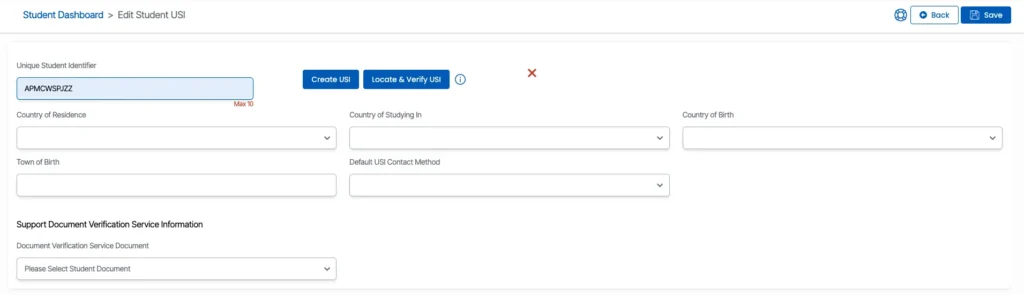
- If the student already has a USI, you can manually enter it into the field.
- If the student does not yet have a USI, you can generate one by clicking the Create USI button.
- This action will initiate the USI creation process via the integrated USI Registry System.
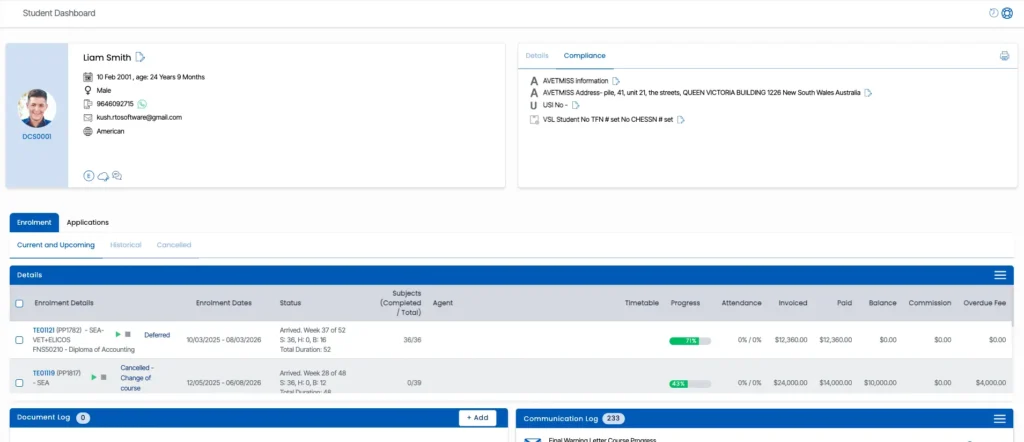
After entering or creating the USI, it is important to verify the submission. You can monitor the status and results of USI validation requests through the USI Request screen, which is also accessible under the Compliance section of the Student Dashboard.
Ensuring that all students have a valid and verified USI is critical for AVETMISS reporting and overall compliance with national VET standards.