Student Dashboard > Enrolment and Applications Tile
The Enrolment and Application tiles are available as separate tabs on the Student Dashboard. Each tab is further divided into sub-tabs
Enrolment Tab
The Enrolment tab is divided into three sections:
- Current and upcoming tab
- Historical
- Cancelled
Current and Upcoming Tab
This tile displays all current and future enrolments for the student. Along with basic enrolment details such as start date, end date, and status (e.g. Not Yet Started, In Progress, Finished).

Historical Tab
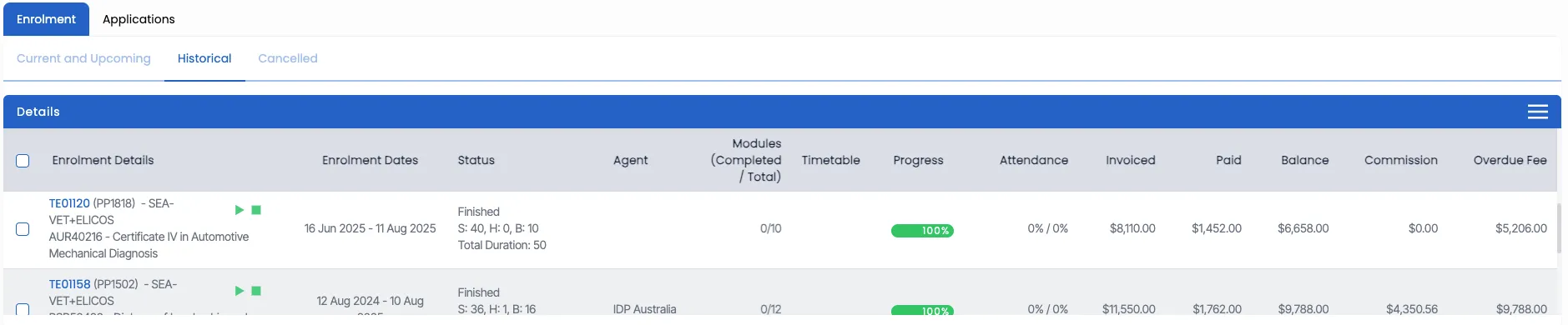
This tile displays all past enrolments where the end date is earlier than today’s date, with their basic details.
Cancelled Tab
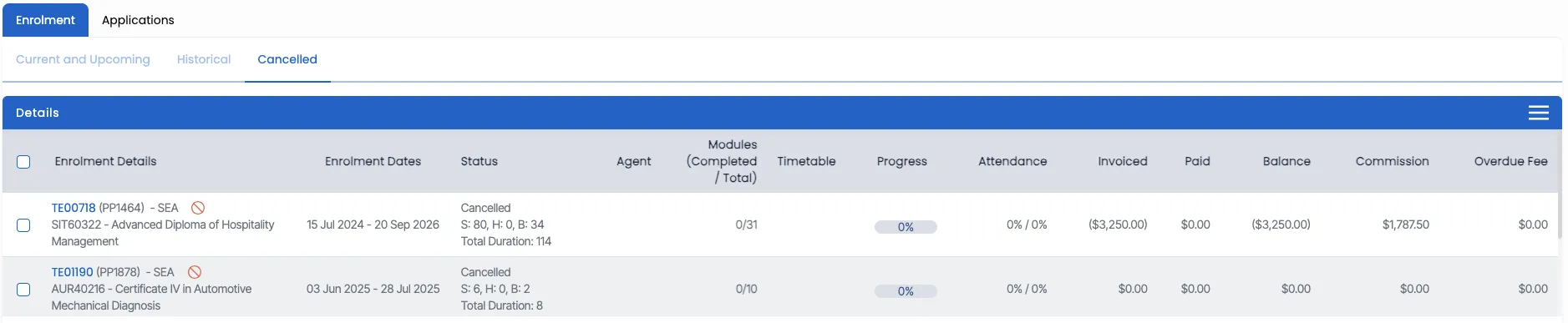
This tile displays all the cancelled enrolments in one place for quick and easy access.
Application Tab
The Application tab allows you to manage and view all applications linked to the student, making it easier to keep track of their admission journey.

Enrolment Tab – Burger menu
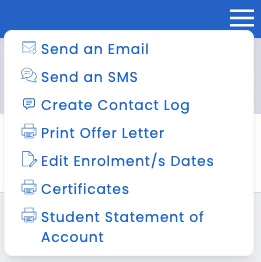
Within the Enrolment tab, the burger menu provides quick actions to manage student records:
- Send an Email
- Send an SMS
- Create a Contact Log
- Print Offer Letter
- Edit Enrolment/s Dates
- Certificates
- Student Statement of Account
Select to know more about the Burger Menu